
Digital Safety on the Road: Protecting Your Data When You Travel
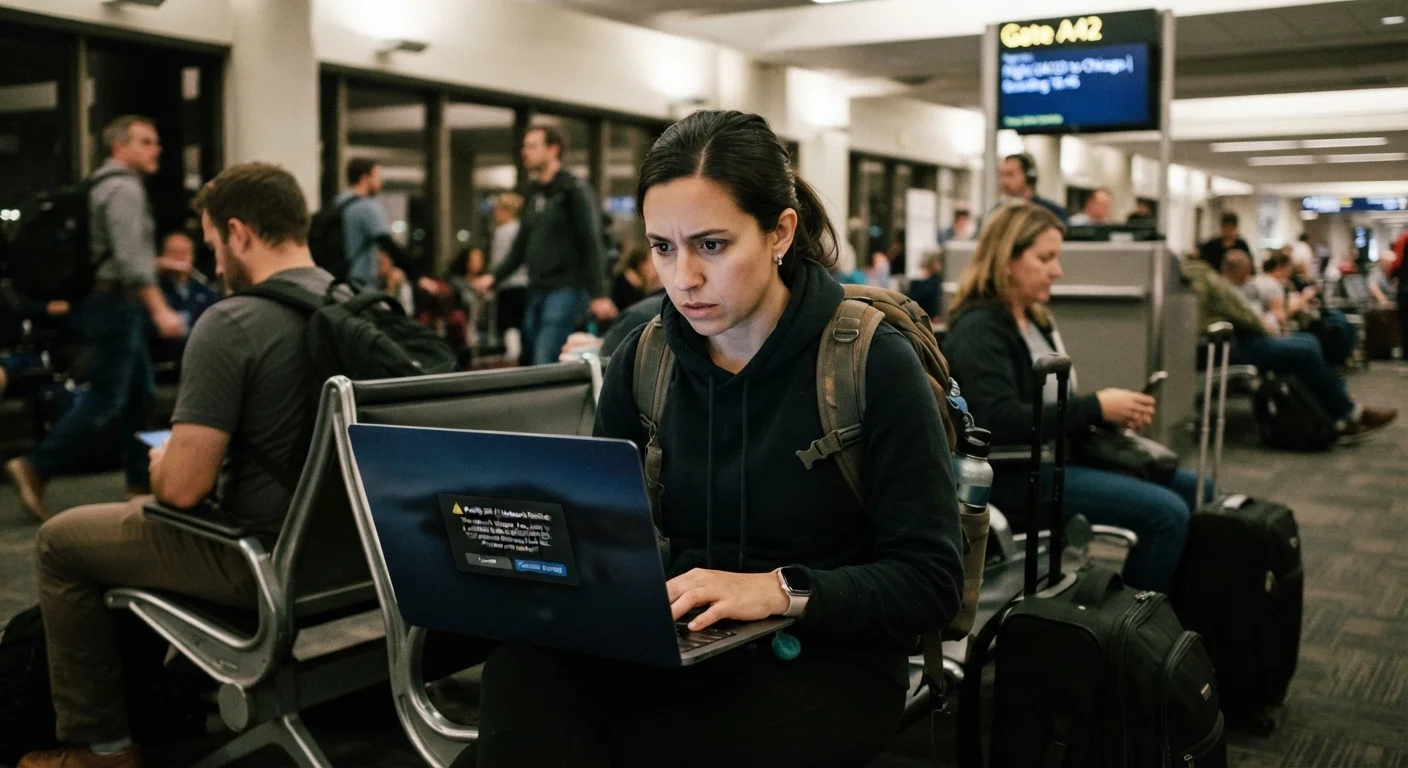
Photo credit: ResultsPoint.net | Find The Required Information
In this article
Public Wi-Fi, shared devices, and border device searches pose real privacy risks. Learn how to protect your digital life while traveling.
Key Takeaways
- Public Wi-Fi networks in airports and hotels are common targets for data interception by bad actors.
- A VPN (Virtual Private Network) encrypts your internet traffic and is one of the most effective travel security tools.
- Border agents in some countries have legal authority to search and copy data from your devices.
- Enabling two-factor authentication before you travel significantly reduces account takeover risk.
- Traveling with a minimal digital footprint — fewer apps, less stored data — limits your exposure if a device is lost or stolen.
Why Travel Creates Unique Digital Risks
Traveling disrupts your normal digital routines. You connect to unfamiliar networks, use devices in crowded public spaces, and may cross borders where different legal rules apply to your data. These factors combine to create a window of vulnerability that doesn't exist at home.
The risks aren't theoretical. Unsecured public Wi-Fi networks — common in airports, hotels, and cafes — can be monitored by other users on the same network or by anyone running a rogue hotspot designed to look legitimate. Even cellular data, while generally more secure than open Wi-Fi, isn't completely immune to interception in certain environments. For a plain-language breakdown of what public networks actually expose, see why public Wi-Fi is riskier than it looks.
International travel adds another layer: some countries have laws that allow authorities to inspect your devices at the border — including compelling you to unlock them. Knowing this ahead of time lets you prepare rather than scramble at the checkpoint.
1 in 3
Travelers who have experienced digital security issues
Surveys by cybersecurity organizations consistently find a significant share of travelers report device theft, account compromise, or data loss during trips.
40%+
Of public Wi-Fi hotspots that may be unsecured
Security researchers have consistently found that a large proportion of publicly available Wi-Fi networks lack encryption or robust authentication controls.
Best Practices for Protecting Your Data While Traveling
The following practices address the most common travel-specific threats. Most require a small time investment before you leave — not during the trip when your attention is elsewhere.
Use a reputable VPN whenever you connect to public or hotel Wi-Fi.
A VPN (Virtual Private Network) encrypts the data traveling between your device and the internet, making it significantly harder for anyone on the same network to intercept your activity. Without one, usernames, passwords, and browsing history can be exposed on open networks. It's one of the highest-impact single steps a traveler can take.
Enable two-factor authentication (2FA) on all important accounts before you leave.
Two-factor authentication requires a second verification step — typically a code sent to your phone or generated by an authenticator app — before granting account access. If a password is exposed on a public network, 2FA prevents an attacker from using it alone to break into your accounts.
Travel with a minimal digital footprint by removing unnecessary apps and sensitive data.
Every app on your device is a potential data exposure point, especially if it stores credentials or personal information locally. Removing apps you won't need on the trip — and clearing stored financial data — reduces what's at risk if your device is lost, stolen, or inspected at a border.
Avoid accessing sensitive accounts on shared or hotel business center computers.
Public computers may have malware or keyloggers installed that record every keystroke, including passwords. Logging into your bank or email on an unfamiliar machine essentially hands your credentials to whoever controls that device.
Be aware of border search rules and prepare your devices accordingly.
In some jurisdictions, including at U.S. borders, authorities may have the legal authority to search electronic devices without a traditional warrant. Travelers with sensitive professional data should consult with a legal professional and consider what data actually needs to travel with them. This isn't about evasion — it's about knowing the rules.
Quick Actions You Can Take Before Your Next Trip
You don't need to overhaul your entire digital life to travel more safely. These targeted actions, done in the days before departure, provide meaningful protection with minimal effort.
For a broader review of your overall digital security posture, the annual digital security checkup is a useful companion resource.
Staying Vigilant During Your Trip
Preparation matters, but your habits on the ground matter just as much. Staying aware of your digital environment — where you connect, what you access, and who can see your screen — reduces risk throughout the journey.
Border Device Searches: Know Before You Go
U.S. Customs and Border Protection, along with border agencies in many other countries, may have legal authority to inspect electronic devices at ports of entry. The rules vary by country and can change. Before an international trip, check official government travel advisories for your destination country and consult a legal professional if you're carrying sensitive work-related data. Being informed is your most practical defense.
Be especially cautious about using hotel business center computers or shared devices. These machines may have keystroke-logging software installed, making them unsuitable for banking, email, or anything requiring a password. If you must use a shared device, log out completely, clear the browser history, and avoid saving any credentials. The habits that quietly undermine your online security covers how small oversights like these compound into serious vulnerabilities.
Physical security matters digitally too: a stolen or lost phone is a data breach. Use a strong screen lock PIN — not a short swipe pattern — and enable remote wipe capabilities on your devices before you leave home. For more on the overlap between physical and financial safety abroad, see protecting your money and cards while traveling.
“The best time to think about digital security when traveling is before you leave home — not at the airport, and not after something goes wrong.”
— Electronic Frontier Foundation, Nonprofit digital rights organization, authors of the Surveillance Self-Defense guide

Author
Travel Editorial Team
Travel Editorial Team is the collective byline for our editorial team and contributor network. Articles published under this byline or an editorial pen name are researched, written, and reviewed according to our editorial standards for clarity, consistency, and independence before publication.
View all articles →