
Wi-Fi vs. Mobile Data: When Your Phone Uses Which — and Why It Matters
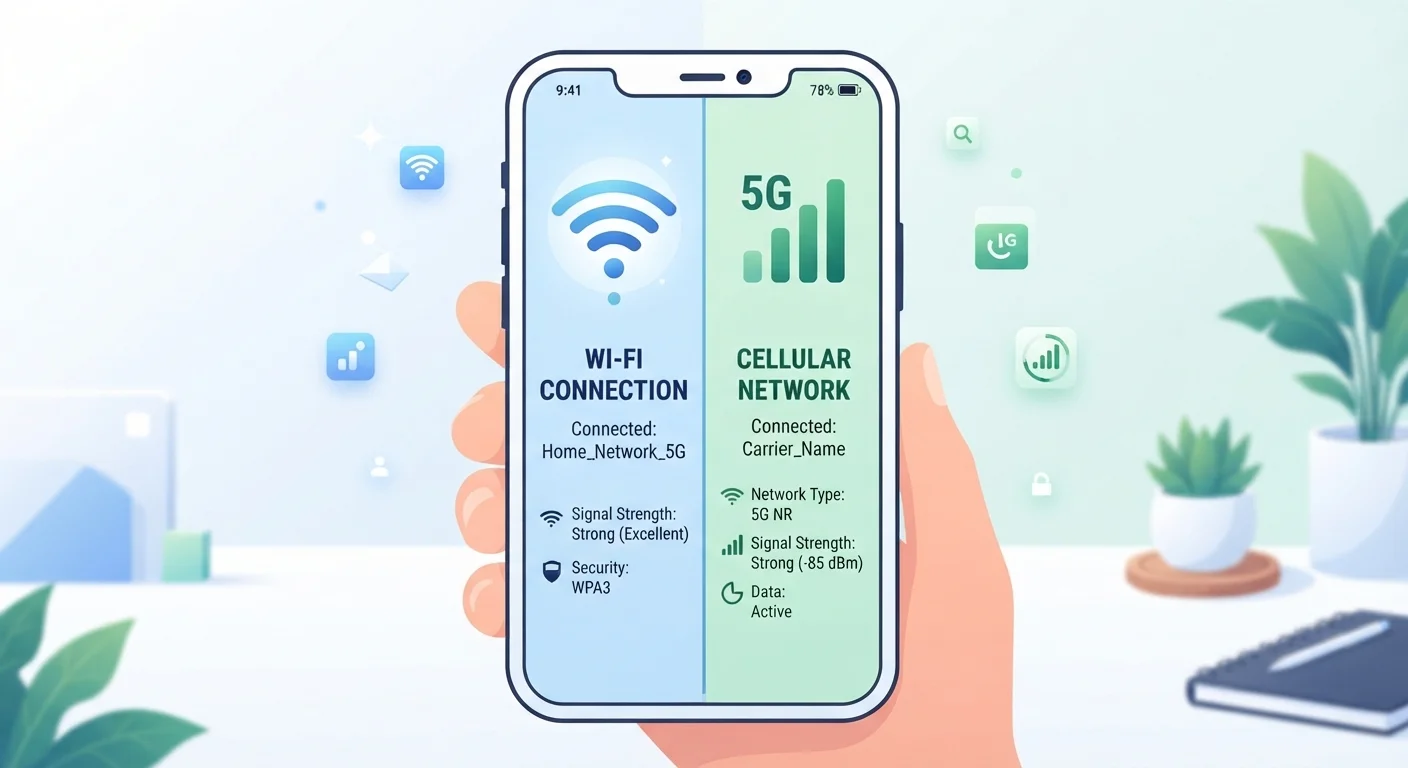
Photo credit: ResultsPoint.net | Find The Required Information
In this article
Understand the difference between Wi-Fi and cellular data, when your device switches between them, and how that affects your bill and security.
Key Takeaways
- Your phone automatically prefers Wi-Fi over mobile data when a known network is in range.
- Wi-Fi is generally faster and cheaper per gigabyte than cellular data for heavy use.
- Public Wi-Fi networks carry real security risks that mobile data typically does not.
- A weak Wi-Fi signal can cause your phone to quietly switch to cellular, burning through your data plan.
- You can control which network your phone uses through settings — you don't have to accept the default.
How Your Phone Decides Which Connection to Use
Most people don't think about this choice — but their phone is making it constantly. Whenever you open an app, stream a video, or send a message, your device checks whether a known Wi-Fi network is within range. If one is, it defaults to that. If not, it falls back to your carrier's cellular network.
The logic is straightforward: Wi-Fi generally costs you nothing extra (you're already paying for your home internet plan), while cellular data is metered — meaning you have a monthly allowance before you're either throttled or charged more. Your phone is, in effect, being frugal on your behalf.
But this automatic behavior has quirks. If you're at the edge of your home network and the signal is weak, your phone may stay on Wi-Fi even though the connection is too poor to do anything useful — or it might flip to cellular without telling you. Understanding how to spot and manage that is one of the most practical things a smartphone user can do. For a deeper look at how data caps work and what happens when you hit yours, see our explainer on data caps.
| Criterion | Wi-Fi | Mobile Data |
|---|---|---|
| Typical speed | Fast at home; varies on public networks | Varies by carrier and signal strength |
| Data cost | Included in home internet plan | Counts against monthly cap |
| Security (public use) | Lower — shared networks carry risk | Higher — private, carrier-encrypted |
| Coverage | Limited to router range | Anywhere with a cellular signal |
| Battery impact | Generally lower drain | Can drain battery faster in weak signal areas |
| Best for heavy use | Yes — streaming, updates, backups | No — best for lighter on-the-go use |
Speed, Cost, and Security: Where Each Connection Wins
Speed: In ideal conditions, a home Wi-Fi connection is faster than most cellular connections for most people. That said, 5G cellular can rival or exceed home broadband in speed in well-covered urban areas — but coverage is still uneven, and most people aren't consistently in a 5G hotspot.
Cost: Wi-Fi data is essentially unlimited once you're paying for your home plan. Cellular data has a cap on most plans. Heavy tasks — software updates, movie downloads, cloud backups — are much better handled over Wi-Fi if you want to protect your data allotment. Our guide on home internet vs. mobile hotspot explores this tradeoff in more depth.
Security: This is where the comparison gets more nuanced. Your home Wi-Fi, protected with a strong password, is generally safe. Public Wi-Fi — at airports, coffee shops, hotels — is a different story. Those networks are shared with strangers, and without proper encryption it's easier for bad actors to intercept data. Cellular connections, by contrast, are encrypted at the network level and aren't shared with other users around you. If you're logging into a bank account or accessing sensitive work files while out in public, mobile data is the more private choice. Our article on why public Wi-Fi is riskier than it looks covers what's actually at risk.
HTTPS Helps — But Isn't a Complete Fix
Most websites today use HTTPS encryption, which protects the content of what you send and receive even on public Wi-Fi. However, HTTPS doesn't hide which websites you're visiting or protect against all types of network-level attacks. Using a VPN (a virtual private network, which encrypts all your traffic through a separate server) adds another layer of protection on untrusted networks, though VPN services vary widely in quality and trustworthiness — research any service carefully before using it.
How to Take Control of Which Network Your Phone Uses
You're not stuck with whatever your phone decides. Both iPhone and Android give you straightforward controls:
- Forget a bad network: If your phone keeps reconnecting to a slow or unreliable Wi-Fi network, go into your Wi-Fi settings, tap the network name, and choose "Forget." Your phone won't reconnect automatically.
- Turn off Wi-Fi Assist (iPhone) or Adaptive Wi-Fi (Android): These features automatically switch to cellular when Wi-Fi is weak. They're helpful but can quietly drain your data plan. You'll find them in your cellular or network settings.
- Manually switch: You can always toggle Wi-Fi off entirely from your phone's quick settings panel if you want to force cellular — or vice versa.
- Check which apps use the most data: Both iOS and Android show a per-app cellular data breakdown in settings. This helps you spot which apps are burning through your plan unexpectedly.
If your phone's behavior differs between iOS and Android — and it sometimes does — our iPhone vs. Android comparison walks through how the two platforms handle everyday settings differently.
If you travel frequently, the stakes go up. Public networks in hotels and airports introduce real risks. See our guide on protecting your data when you travel for practical steps beyond just avoiding public Wi-Fi.
~80%
Mobile data traffic offloaded to Wi-Fi globally
According to Cisco's Visual Networking Index, the majority of smartphone data is transferred over Wi-Fi rather than cellular networks, highlighting how central Wi-Fi is to everyday mobile use.
4–5×
Typical home Wi-Fi speed advantage over average cellular
Average home broadband speeds in the US frequently outpace average LTE speeds by a significant margin, according to reports from the FCC and independent network testing organizations.

Author
Tech Editorial Team
Tech Editorial Team is the collective byline for our editorial team and contributor network. Articles published under this byline or an editorial pen name are researched, written, and reviewed according to our editorial standards for clarity, consistency, and independence before publication.
View all articles →