
Two-Factor Authentication: Why One Password Is No Longer Enough
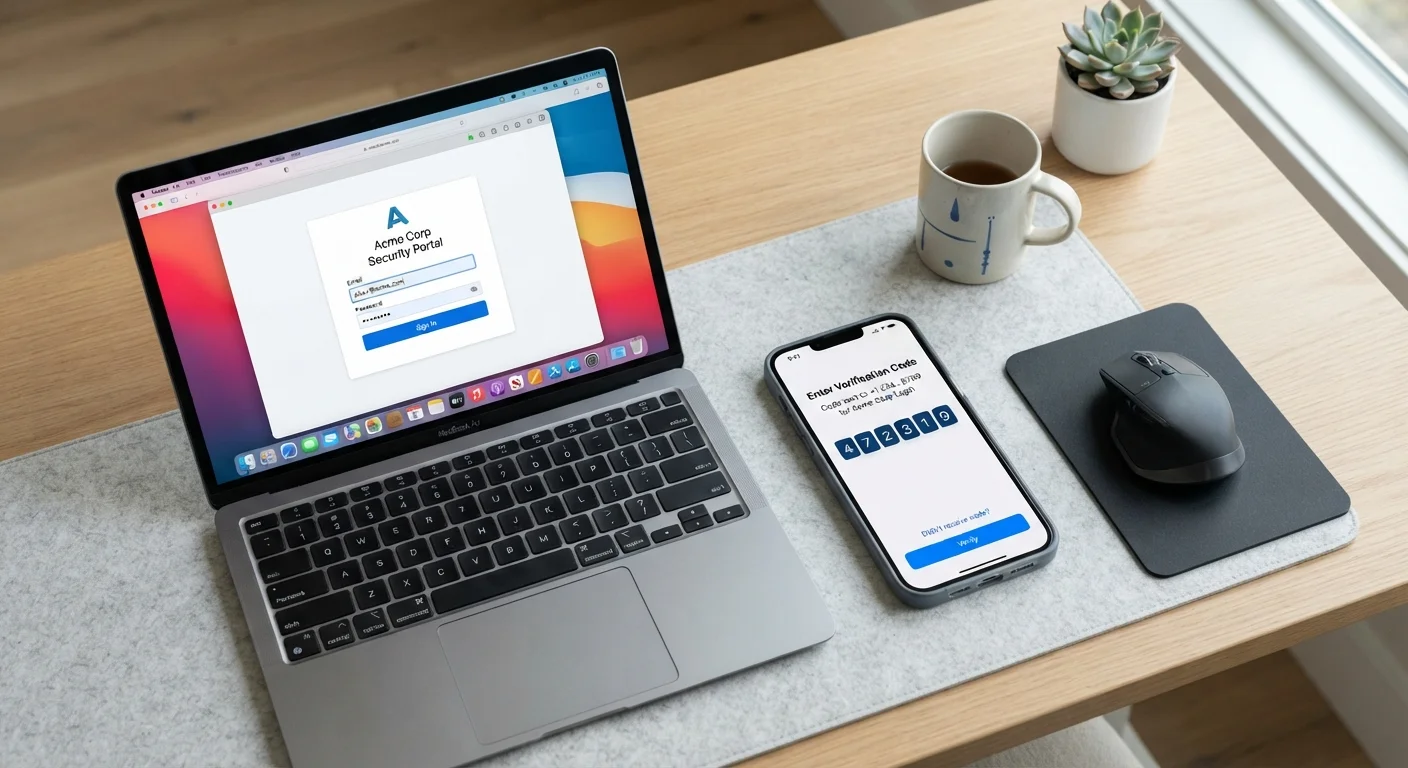
Photo credit: ResultsPoint.net | Find The Required Information
In this article
Two-factor authentication adds a second lock on your accounts. Learn how it works, why it matters, and how to turn it on for the services you use most.
Key Takeaways
- Two-factor authentication requires a second proof of identity beyond your password before granting access.
- Even a strong, unique password can be stolen — 2FA limits the damage if that happens.
- Authenticator apps provide stronger protection than SMS text codes.
- Most major accounts — email, banking, social media — already support 2FA in their settings.
- Enabling 2FA takes only a few minutes and meaningfully reduces your risk of account takeover.
What Two-Factor Authentication Actually Is
Two-factor authentication — often shortened to 2FA or called multi-factor authentication (MFA) — is a security method that requires two separate proofs of identity before letting you into an account.
Two-factor authentication (2FA)
A login method that requires two separate proofs of identity — typically your password plus a time-sensitive code or physical device — before granting access to an account.
Authenticator app
A smartphone app that generates a new short code every 30 seconds, linked to a specific account. You enter that code as your second factor when logging in.
SIM-swap attack
A scam in which a fraudster convinces your phone carrier to transfer your phone number to their device, letting them intercept SMS codes meant for you.
Hardware security key
A small physical device — similar to a USB stick — that you plug in or tap against your phone to confirm your identity during login.
Backup codes
One-time emergency codes provided during 2FA setup that let you access your account if you lose your phone or second factor.
Phishing
A type of scam where someone tricks you into entering your login credentials on a fake website or in response to a fraudulent message.
The classic setup works like this: first you enter your password, then you confirm with something else — a six-digit code from an app, a text message, or a physical key. Both pieces have to match before the door opens. One without the other gets you nowhere.
The principle isn't new. Banks have used it for years with ATM cards: you need the physical card and your PIN. Online 2FA works on the same logic, adapted for the digital world.
Why Passwords Alone Fall Short
A password is a single barrier. Once someone has it — whether through a data breach, phishing email, or plain guessing — your account is open. The problem is that breaches happen constantly, and many people reuse passwords across multiple sites, multiplying the damage when one account is compromised.
Even if you follow every rule about creating strong passwords, you can't fully control whether a company you've signed up with handles your data securely. If their systems are breached, your password could end up for sale on the internet without you ever knowing.
Two-factor authentication changes the math for attackers. Stolen password in hand, they still hit a wall — they'd also need your phone, your authenticator app, or your hardware key. That combination is much harder to pull off remotely.
Breaches Can Happen Without Any Mistake on Your Part
Companies you trust can suffer data breaches that expose your credentials even when you've done everything right. Monitoring services can alert you when your email appears in known breach databases. The key takeaway: assume any password could eventually be exposed, and let 2FA be the backup that still protects you.
The Three Types of 2FA You'll Encounter
Not all second factors are equally strong. Here's a plain breakdown of what you'll commonly see:
- SMS text codes: The service texts a short code to your phone number. Easy to set up, widely supported, and far better than nothing — but phone numbers can be hijacked through SIM-swap fraud, so this method has real limitations for high-value accounts.
- Authenticator apps: Apps like these generate a fresh six-digit code every 30 seconds, tied to your account but stored entirely on your device. Nothing travels over the cellular network, which removes a major attack surface. This is the method security experts generally recommend for everyday users.
- Hardware security keys: A small physical device — often a USB stick or a card that taps against your phone — that you insert or tap to confirm your identity. Extremely resistant to phishing, but requires carrying the key. More common in professional or high-security contexts.
For most people, an authenticator app hits the right balance of security and convenience. It's free, works offline, and doesn't depend on your cell signal.
Start With Your Email Account
Your email is the master key to most of your other accounts — it's used to reset passwords everywhere else. If you only enable 2FA on one account today, make it your email. Everything downstream becomes safer as a result.
How to Turn On 2FA for Your Accounts
The general process is similar across services, though the exact path varies. For your most important accounts — email, banking, and any account tied to financial information — make these a priority.
- Open account settings. Look for a section labeled Security, Privacy, or Account Settings.
- Find the 2FA or two-step verification option. It may also be called login verification or multi-factor authentication.
- Choose your second factor. Select an authenticator app if offered; otherwise, SMS is acceptable as a starting point.
- Follow the setup prompts. If using an app, you'll typically scan a QR code displayed on screen. The app then links to your account.
- Save your backup codes. Almost every service will give you a set of one-time recovery codes. Print them or store them somewhere secure and offline.
If you're also thinking about how your passwords are stored, pairing 2FA with a password manager covers both major angles of account security.
Common Concerns — and Honest Answers
"It sounds complicated." The setup takes five to ten minutes per account. After that, the extra step at login is usually just glancing at your phone for a code — a few seconds.
"What if I forget my phone?" Keep your backup codes accessible. Some authenticator apps also let you back up accounts to a secure cloud account, so switching phones doesn't mean starting over.
"Is it really worth the hassle?" Account takeovers — where someone breaks into your email, bank, or social media — can take hours to fix and cause real financial and personal harm. The friction of 2FA is small compared to that risk.
For a broader look at the small habits that quietly erode your online security, see common security oversights to avoid. And if you're weighing how to store your passwords securely, browser-saved passwords versus dedicated managers is a useful companion read.
Frequently Asked Questions

Author
Tech Editorial Team
Tech Editorial Team is the collective byline for our editorial team and contributor network. Articles published under this byline or an editorial pen name are researched, written, and reviewed according to our editorial standards for clarity, consistency, and independence before publication.
View all articles →